ELECTRICITY GUIDE
ERCOT TXANS Alerts by Text: Sign Up and Understand the Notices
BillMellow Editorial · Published November 15, 2026
Learn how the updated Texas Advisory and Notification System (TXANS) sends email or text alerts, what each grid notice means, and what the alerts do not promise.
Browse safety and assistance guides
What TXANS is and why the update matters
ERCOT’s Texas Advisory and Notification System, or TXANS, communicates public notices about Texas grid conditions, forecast weather, higher demand and emergency operations. On November 10, 2026, ERCOT announced an enhanced system that allows subscribers to choose email, text messages or both. This is a communication channel for grid information; it is not a utility bill credit, a guarantee that power will remain on, or an address-level outage prediction.
TXANS does not replace your electric provider’s outage map, local emergency management, 911 or medical-device contingency plan. ERCOT manages the bulk power system over much of Texas, while local utilities operate distribution equipment and communicate local outage information. A grid advisory and a neighborhood outage are different events. Check the sender and official source, then confirm local service information with your utility.
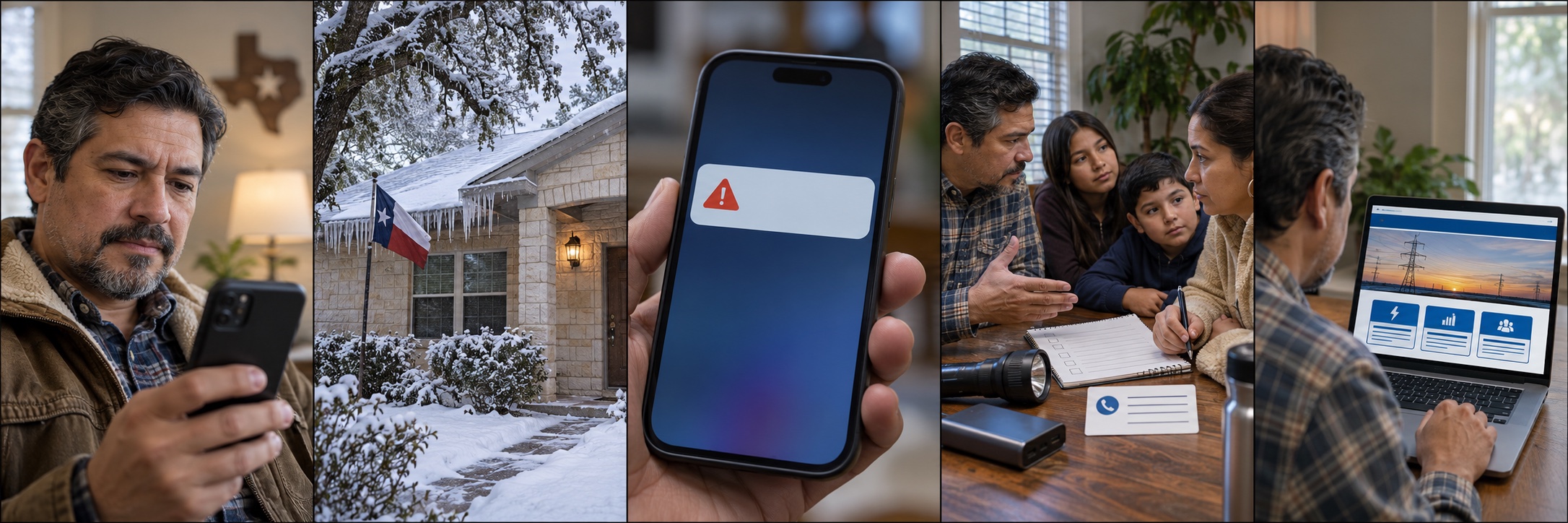
How to enroll in email or text notifications
Visit the official ERCOT TXANS page and use its current enrollment process. Select the notification methods available in the portal, such as email, text or both, and enter contact information directly on the official service. ERCOT says existing subscribers can sign in with their registered email address to change contact details and preferences. Messages are sent in English and Spanish according to ERCOT’s announcement.
Do not sign up from an unsolicited text link or give a verification code to someone who calls claiming to be ERCOT. Navigate to the official domain yourself or use a link from ERCOT’s official website. Review the portal’s current privacy information and message preferences before submitting a phone number. If you already subscribe, check the contact number and email on file and whether text notifications are turned on.
After enrollment, keep your phone number current and ensure your device can receive the message type you selected. A notification may be delayed, filtered, blocked by a carrier, or missed when the phone is off or out of coverage. Keep another way to monitor local alerts and utility outage information.
Weather Watch: advance notice while grid conditions are normal
ERCOT describes a Weather Watch as an advance notice when significant weather, high demand and potentially lower reserves are forecast. ERCOT states that grid conditions remain normal during a Weather Watch. It is a prompt to stay informed and review practical preparations, not a declaration that rotating outages have started. Weather forecasts and grid conditions can change, so use the latest official update rather than an old screenshot or social media repost.
A household can use the lead time to charge essential devices, identify local utility outage information, check the operation of smoke and carbon-monoxide alarms, and review arrangements for refrigerated medicine or powered medical equipment. These preparations are useful regardless of which ERCOT notice is active. Follow public-safety advice for your location and do not take action that would endanger someone who depends on electricity.
Conservation requests and Energy Emergency Alerts
ERCOT’s categories distinguish a forecast notice or voluntary request from emergency operations. A Voluntary Conservation Notice or Conservation Appeal asks customers to reduce use during a stated period if safe to do so; it is not itself proof that a controlled outage is underway. ERCOT’s November 2026 explanation says Energy Emergency Alert Level 1 and Level 2 requests conservation while systemwide controlled outages have not been directed. Level 3 indicates systemwide controlled outages are underway and utilities are directed to reduce demand through local controlled outages.
The thresholds, reserves and system frequency criteria are technical grid indicators, not household voltage readings or a prediction that a particular home will lose power. Read the exact notice and its time window. Do not treat every alert as the same urgency. ERCOT may update information as conditions change; the official TXANS notice and grid dashboard are the references to check.
What customers should do during a notice
Follow the specific conservation request only when it is safe. Do not turn off a medically necessary device, disable safety equipment, stop essential heating in hazardous cold, or place a person at risk to reduce use. ERCOT tells people with critical medical needs to check with their local electric utility. Ask the utility about its current notification, outage, medical-baseline or critical-care registration process; programs and eligibility differ.
If the utility reports a local outage, follow its instructions and local emergency management. Never operate a fuel-burning generator, grill or outdoor heater inside a home, garage or enclosed area because carbon monoxide can build up rapidly. Keep generators outdoors at the distances specified by the manufacturer and local emergency authorities, and use a qualified electrician for transfer equipment. During an outage, use flashlights or battery lanterns, preserve refrigerator temperatures according to food-safety guidance, and do not approach downed lines.
Distinguish a grid advisory from a retail-rate change
A TXANS alert describes grid conditions and public actions. It does not automatically change the rate on a fixed-price contract or tell you that your retail plan has changed. Retail prices depend on the applicable provider, tariff, contract terms, service territory, wholesale market exposure and regulatory rules. Customers on variable or indexed contracts should read the actual plan terms and provider notices rather than infer a price change from a grid notification.
If a bill rises after an alert, compare kWh per day, billing days, rates, fees, credits and meter-read type across the statements. Weather can increase electric heating demand, but a grid notice alone does not prove the cause of a household’s bill. Contact the provider using a verified number on your bill or its official website for plan or billing questions.
Verify messages and prevent alert fatigue
Check that a message links back to ERCOT’s official domain and matches information on the TXANS portal or official grid dashboard. Be cautious of urgent messages asking for payment, account passwords, a Social Security number or a one-time code. ERCOT’s public grid alert system should not be used as a reason to disclose account credentials to an unexpected caller. If uncertain, navigate to ERCOT.com manually and check the current notice.
Choose notifications you will actually notice. A text can be easier to see while away from email, but it may interrupt sleep or be filtered by your carrier. If you enable both methods, avoid assuming delivery of one means the other is working. Test your contact details through the portal’s supported settings and maintain local utility alerts as a separate layer.
Build a household notification plan
Write down the names of your electric provider and local utility, the official outage URL, emergency contacts, a charging location and a plan for essential medical or refrigeration needs. Make sure household members know what each person should do if cell service fails. Keep paper copies of key contacts if a phone battery is depleted. People who rely on powered medical equipment should consult their clinician and local utility well before severe weather.
TXANS can help Texans monitor grid communications, but it is one piece of readiness. It does not guarantee notice in every scenario, tell an individual home when power will return, or replace an emergency plan. Check current ERCOT instructions each season because notification features and alert categories can change.
Does a TXANS Weather Watch mean ERCOT will shut off power?
No. ERCOT says grid conditions are normal during a Weather Watch. It is advance information about forecast weather, demand and potentially lower reserves. Continue monitoring official updates.
Can I receive TXANS by text message?
ERCOT announced on November 10, 2026 that subscribers can opt in to text messages in addition to email through the official TXANS portal. Check the current official enrollment page for available preferences.
Does TXANS send a bill credit?
No. It is a public grid notification system. It does not by itself provide a credit or change your retail electricity plan. Check your provider and contract for billing terms.
Who should I contact for medical power needs?
ERCOT advises customers with critical medical needs to check with their local electric utility. Contact the utility directly about current processes, and make a clinical backup plan with the care team.
What if I get a suspicious alert?
Do not share passwords or verification codes through a message link or unexpected call. Navigate to ERCOT.com yourself, verify the notice, and report questionable messages using official contact information.
All electricity guides · Compare plan costs · Methods and limits · Editorial standards